What Is the Simplest and Cheapest Way to Track Your Expenses Without Monthly Subscriptions?

Updated on by BudgetOnGrid
There are currently only 3 ways to track your expenses without a monthly subscription: pen and paper, pre-made budget templates, and BudgetOnGrid. Pen and paper is the simplest if you only track a few things, pre-made templates are the most popular, and BudgetOnGrid is the simplest and cheapest overall because it feels like a spreadsheet without the maintenance a spreadsheet needs.
Let's go through all three, with their advantages and disadvantages.
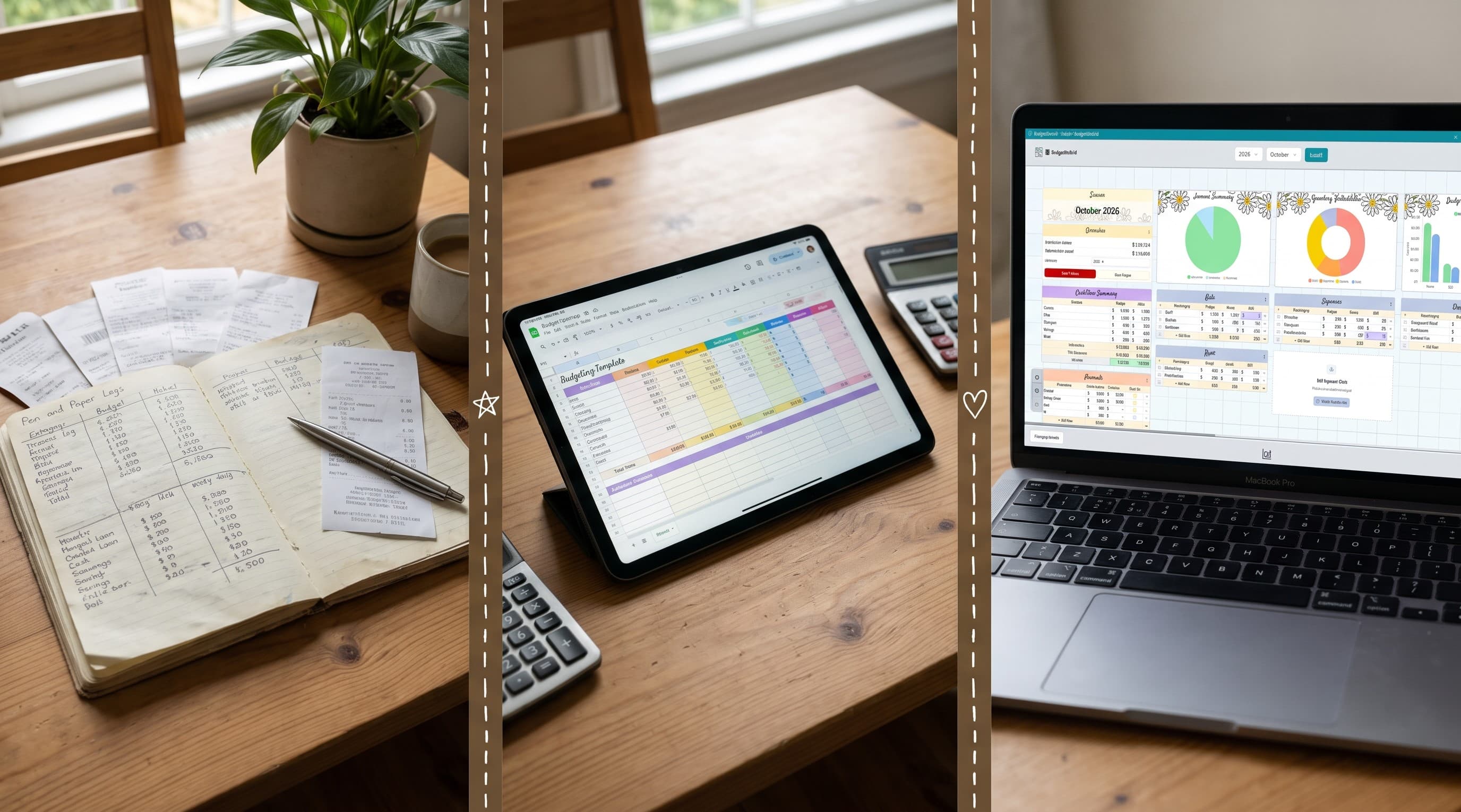
Image: The three ways to track your expenses without a monthly subscription.
The 3 Ways at a Glance
| Way | Cost | Easy to start | Easy to maintain | Charts and visuals | Bank statement import |
|---|---|---|---|---|---|
| Pen and paper | Almost free | Yes | Gets heavy over time | No | No |
| Pre-made budget templates | Free to paid, once | Depends on the template | No, things break | Depends on the template | You build it yourself |
| BudgetOnGrid | $7 once | Yes | Yes | Yes | Yes, in CSV or PDF |
Pen and Paper
Many like to do it the old traditional way, where you get your paper or budget binder and write down all your expenses. This is the easiest way to track your finances and it has no friction. It's just you and your pen: you write down what you bought today, the price, and the payment method. You can do this daily, weekly, or monthly.
The issue with this method is history and arrangement. The papers can get too much, you could lose the book where you wrote all your expenses, and there's no visual diagram like charts to help you understand it better, especially if you have ADHD.
It works well if you just need to track a few things.
Pre-Made Budget Templates
This is the most popular option for people who don't like budgeting apps and their monthly subscriptions, which can reach $120+ annually. The good thing about budget templates is that you only purchase them once and they belong to you, either on Excel or Google Sheets. You can even get them free from Google Sheets free templates, or purchase more stable and visual ones from places like Etsy, Gumroad, etc.
They give you flexibility and visual representation, and depending on which one you bought, they are easy to arrange and understand. You track your expenses by typing them in, choosing the category after filling the categories table, and putting the date, merchant, and whatever else your template needs.
The Problems With Pre-Made Budget Templates
Maintenance. Not many people are technical. Yes, I know it's pre-made already, but most times you will need to adjust something, add rows, or add another category. Pre-made budget templates force you into the creator's way of budgeting or the creator's categories. Yes, you can edit them, but some end up breaking while doing so, and since you are not technical, it stresses many. As your data increases, it gets messy to track and update.
Manual typing. Many get lazy to input their transactions manually when they pile up. Yes, others do love to do it manually because it gives them awareness and makes them accountable, but some start like this and end up falling off as time goes by. When you forget to do it this week, it piles up the following week.
Importing bank statements. Many find a solution to this by using Power Query and VLOOKUP to import their bank statement CSVs, but as I said, not many people are technical with Excel and Google Sheets, so this is not the simplest way, at least as time goes by.
BudgetOnGrid
BudgetOnGrid gives you the best of both worlds and, so far, is the best of the three. It is a web-based budgeting tool designed to feel like a spreadsheet, without the maintenance a spreadsheet needs. You type in your expenses and get charts that show them visually, with their percentages. It also has an option to auto-categorize for you with up to 98% accuracy.
It's built for people who already track their expenses in spreadsheets but are tired of broken formulas, messy templates, and rebuilding everything each month. It's also for people who found budgeting apps like YNAB, Monarch, etc. too complicated and expensive, and for people who don't want to link their bank accounts.
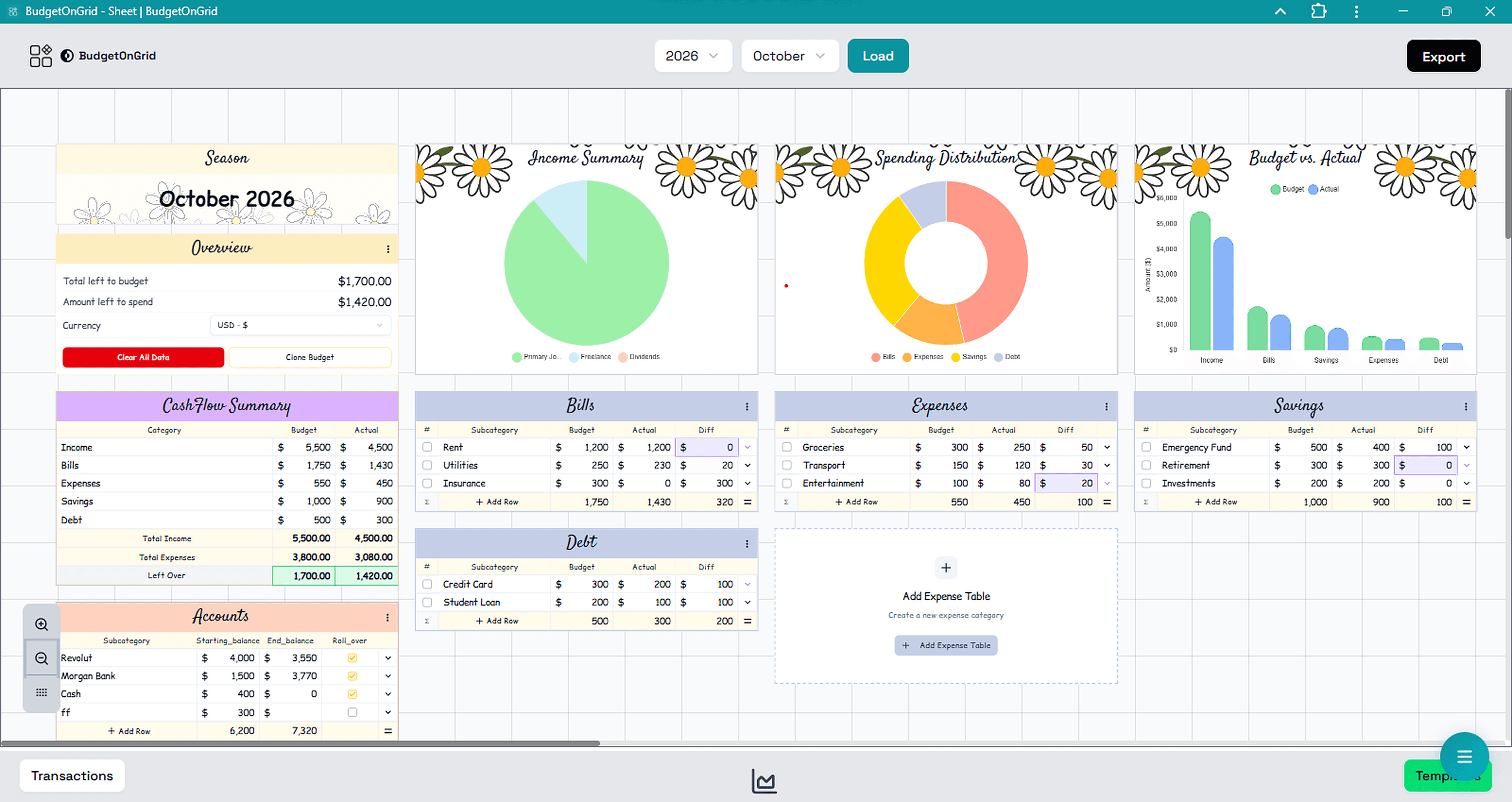
Image: BudgetOnGrid feels like a spreadsheet, with tables, charts, and an overview already in place.
What Makes BudgetOnGrid the Simplest
- No Excel or technical knowledge is needed to start.
- You can maintain it easily without breaking things like formulas. You can add categories and subcategories, edit them, delete them, and add rows, and nothing breaks.
- You can import your bank statement in both CSV and PDF format.
- You don't have to clean or edit your CSV so that VLOOKUP can import your transactions.
- It auto-categorizes for you if you use the bank import feature.
- It is similar to budget templates, so there's no learning curve. You have your tables, charts, and overview.
- It is cheaper than most pre-made budget templates, and it's still easier to maintain.
Want to see how it works? Here's How to Build Your Budgeting Template with BudgetOnGrid and How to Track Your Expenses or Transactions with BudgetOnGrid.
So Which One Should You Choose?
In summary, this all depends on you. All the advantages and disadvantages have been listed above.
If you only track a few things, pen and paper is enough. If you enjoy working in spreadsheets and don't mind fixing things now and then, a pre-made template can work. If you want charts, easy maintenance, and no formulas to fix, without paying a monthly subscription, BudgetOnGrid is the simplest and cheapest way.
Open BudgetOnGrid to get started.
Frequently Asked Questions
What is the simplest way to track expenses without a monthly subscription?
BudgetOnGrid is the simplest way for most people. It feels like a spreadsheet, needs no Excel knowledge, and nothing breaks when you add categories, subcategories, or rows. Pen and paper is also simple, but it works best when you only track a few things.
What is the cheapest way to track expenses?
Pen and paper is almost free, and some pre-made templates are free on Google Sheets. BudgetOnGrid costs $7 once, which is cheaper than most pre-made budget templates, and it is easier to maintain.
How much do budgeting apps cost?
Budgeting apps with monthly subscriptions can reach $120+ annually.
Does BudgetOnGrid categorize my transactions automatically?
Yes, when you use the bank import feature. BudgetOnGrid auto-categorizes your transactions with up to 98% accuracy.
Can I import a bank statement into BudgetOnGrid without cleaning the CSV?
Yes. You can import your bank statement in CSV or PDF format without cleaning or editing it for VLOOKUP.
Do I need to link my bank account to BudgetOnGrid?
No. BudgetOnGrid is for people who don't want to link their bank accounts. You type your expenses or import a bank statement.