Expense Tracking Apps vs Budgeting Spreadsheets: Which Is Better?

Updated on by BudgetOnGrid
Quick answer
Expense tracking apps suit people who want automatic transaction imports and a quick setup. Budgeting spreadsheets suit people who want control over their financial records and prefer to avoid monthly fees. Both have trade-offs. BudgetOnGrid offers a spreadsheet-style budget with automatic calculations, optional statement imports, local data storage, and a $7 one-time price.
When you decide to take control of your spending, one of the first choices you face is how to track your money.
You might download an expense tracking app and let the software import your transactions. Or you might open Excel or Google Sheets and start building a budget yourself.
Both options have their own costs and frustrations. An app saves time when bank syncing works, while a spreadsheet gives you more control over your records. Your choice also affects how much you spend on budgeting software and where your financial data goes.
Let's look at what each option offers, where you might run into problems, and how much work each one requires.
Expense Tracking Apps: What They Get Right
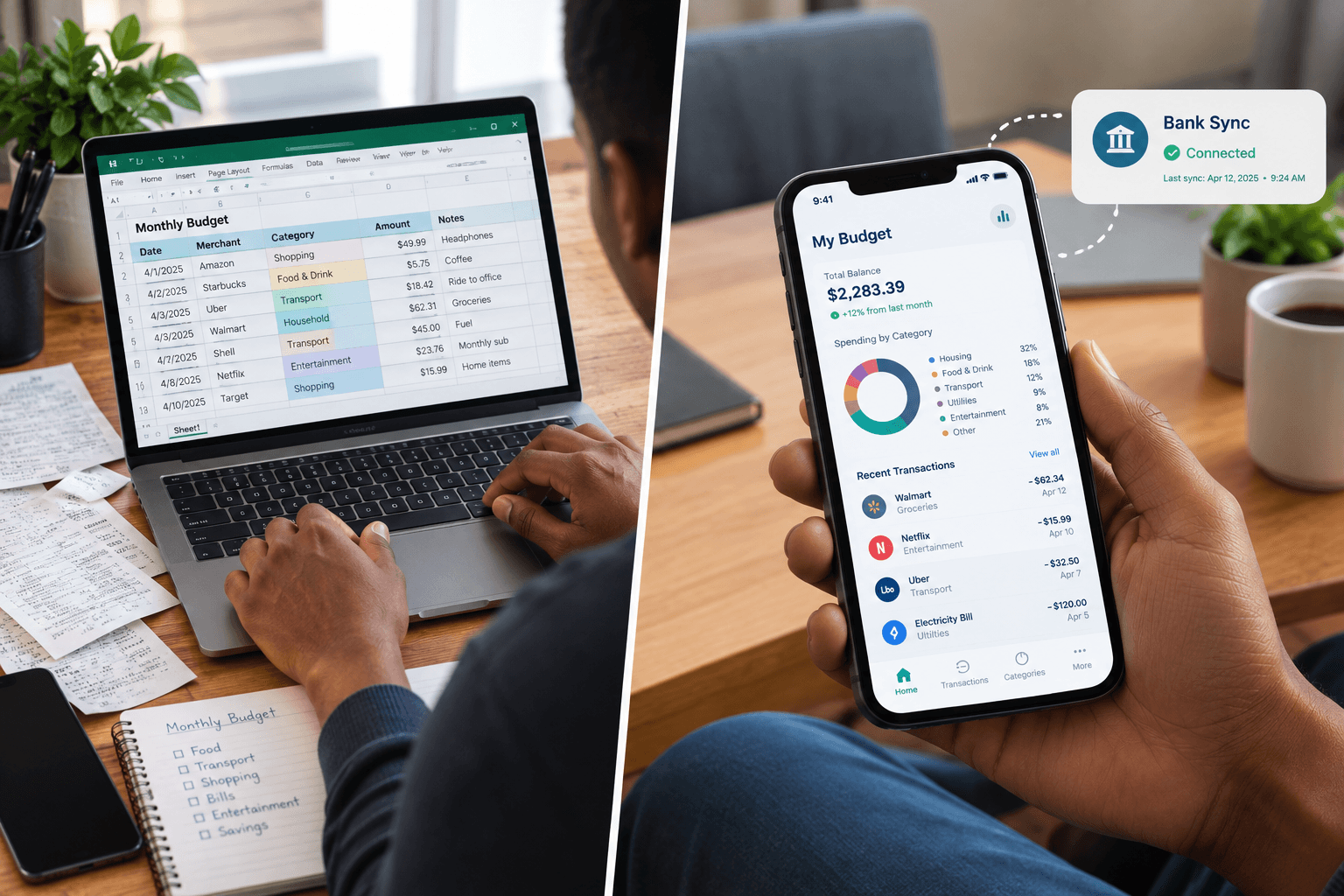
- Companies handle updates and support. Popular budgeting apps have teams working on software updates, customer support, and security. When something goes wrong, you have a company to contact.
- Transactions arrive automatically. Most bank-connected apps pull transactions from your account. You spend less time entering purchases after work.
- Phone dashboards show your spending. Charts and summaries give you a quick look at your money. You can check your spending while waiting in a queue or sitting on the bus.
- Setup takes little time. Most apps guide you through the initial setup. You can start tracking your expenses within minutes.
- Some apps send spending alerts. Certain apps notify you when spending approaches a category limit. These alerts help when you do not check your budget often.
- Transactions get automatic categories. Apps sort purchases into groups such as groceries, transport, and subscriptions. You still need to check the results because automatic categorization sometimes gets things wrong.
Expense tracking apps handle much of the routine work. You pay for the convenience through subscription fees and, in many cases, a connection to your bank account.
Expense Tracking Apps: Where They Will Test Your Patience
- The subscription keeps coming. Popular budgeting apps often cost around $100 per year, or roughly $10 to $15 per month. Some charge extra for advanced reports and additional accounts. Over several years, those payments add up.
- Categories sometimes go wrong. An app might classify a transport payment as shopping or miss a transaction. You then have to review and correct the records yourself.
- Bank access raises privacy concerns. Automatic imports usually require a bank connection. Many apps rely on financial data aggregators to access transaction data. Some services also collect financial activity for analytics. Check each provider's privacy policy before connecting your account.
- Bank connections sometimes fail. Your account might disconnect after a bank changes its security settings. You then have to sign in and reconnect the account. Some users deal with this more often than they would like.
- Your data sits on company servers. You depend on the provider to protect your financial records. You also need to check its data retention and privacy policies. A change in ownership might affect how the company handles your information.
- Moving to another app takes planning. Some apps limit data exports or restrict certain export features to paid plans. Switching services might mean losing access to parts of your transaction history. Mint's shutdown also showed how users sometimes have to find a new place for years of financial records.
- Customization has limits. You work within the categories, layouts, and rules provided by the app. Some apps give you little control over how transactions get sorted.
- Bank support varies by country. An app might support banks in the United States while offering limited connections elsewhere. Check the supported countries and banks before signing up.
An app saves you time when the features work as expected. The subscription, bank connection, and limits on data access are worth checking before you commit.
Budgeting Spreadsheets: What You Will Like About Them
- No monthly budgeting fee. Google Sheets is free. Many ready-made budget templates cost a one-time fee of around $10 to $40.
- You control your financial records. Your spreadsheet stays on your device or in your own cloud account. You decide who gets access.
- You see the calculations. Spreadsheet formulas are visible, so you can inspect how a total was calculated and find the source of an error.
- You choose how the budget works. Set your own categories, spending limits, layout, and charts. You decide when to change the structure.
- You choose your bank. A spreadsheet does not depend on a supported bank connection. You enter your own transactions or import files from your bank.
- You keep the file. Save a backup, move the workbook, or archive previous budgets. Your records stay available as long as you keep the files.
- Manual entry makes you review purchases. Typing each expense gives you a chance to look at your spending. Some people find this helps them pay closer attention to their habits.
Spreadsheets give you ownership over your budget and its calculations. The time needed to enter transactions, maintain formulas, and fix errors is part of the cost.
Budgeting Spreadsheets: Where They Will Frustrate You
- A formula error affects your budget. Editing a formula or pasting data into the wrong cells might break calculations. You then have to find the affected cells and repair them.
- Template maintenance takes time. Some of your budgeting time goes into fixing formulas, adjusting categories, and correcting the workbook.
- Every transaction needs attention. Most ready-made templates do not import or categorize purchases automatically. You enter each expense yourself, which gets tiring during a busy week.
- Bank statement imports need preparation. Dates, amounts, and column formats often need cleaning before you paste the data into your workbook. Power Query and VLOOKUP help with this process, but you need to understand how they work. The results still need checking.
- Categories become inconsistent. Without a clear system, you might record the same expense under different names. Your totals become harder to review.
- Long transaction lists get confusing. Some templates put every purchase into one large table. Finding a particular expense or reviewing a category becomes harder as the list grows.
- Monthly upkeep requires discipline. You need to keep entering transactions and checking the workbook. Long gaps between updates make your budget harder to maintain.
If you are tired of spreadsheet upkeep, learn why budget spreadsheets become difficult to maintain.
A spreadsheet gives you room to organize your finances your way. You also take responsibility for the formulas, imports, and regular updates.
Apps vs Spreadsheets: Side by Side
The table below compares the main differences.
| Expense Tracking Apps | Budgeting Spreadsheets | |
|---|---|---|
| Time to set up | Minutes | Hours, or longer if you build one yourself |
| Cost | Around $100 a year, or roughly $10 to $15 a month | Free with Google Sheets, or a one-time $10 to $40 for a template |
| How transactions get in | Usually through a bank connection | Manual entry or downloaded bank statements |
| Need to link your bank | Usually required for automatic imports | No |
| Privacy | Data often passes through company servers | Data stays on your device or in your own account |
| Who controls your data | The provider manages the records stored on its service | You manage your own file |
| Customization | Limited to the features provided by the app | You control the layout, formulas, and categories |
| Categorization | Automatic, with occasional errors | Manual unless you build an import workflow |
| Common problems | Failed bank connections, subscription changes, or service shutdowns | Broken formulas, manual entry, and ongoing maintenance |
| Works with different banks and countries | Depends on the app's supported regions and banks | Yes, since you provide the transaction data |
| Best for | People who want automatic transaction imports | People who want control and have time to maintain a workbook |
So Which One Is Better?
Your choice depends on how you prefer to manage your transactions.
If entering every purchase sounds like a chore, an expense tracking app with bank syncing will save you time. Check the subscription price and privacy policy before connecting your account.
If you prefer to manage your own records and avoid recurring payments, a spreadsheet is worth considering. You will need time to set up the workbook and keep the formulas working.
If avoiding bank linking is important to you, you can explore budgeting apps that work without linking a bank account.
Some people want the convenience of automatic imports while keeping the control of a spreadsheet. This is where BudgetOnGrid comes in.
The Middle Ground: BudgetOnGrid
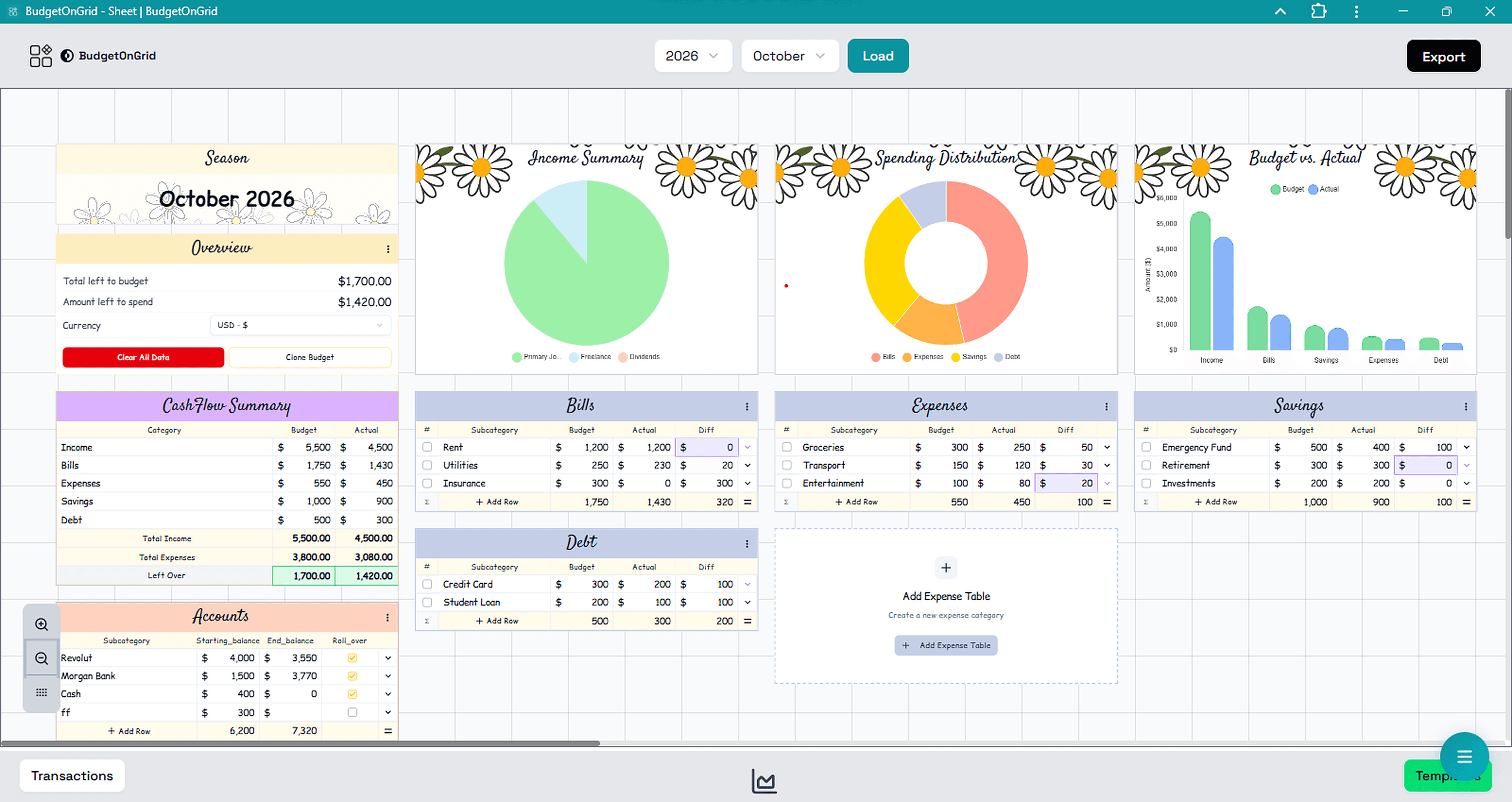
BudgetOnGrid is a web-based budgeting tool with a spreadsheet-style layout. You build your budget using your own categories and subcategories. The app handles the calculations, so you do not have to maintain Excel formulas.
If you want to see how this works, learn how to build your budgeting template with BudgetOnGrid.
BudgetOnGrid suits people who already use spreadsheets and want an easier way to manage their budgets. It also suits people who find popular budgeting apps too complicated for their needs, or prefer to keep their bank accounts disconnected.
You set up your budget month by month and across the year. Each category has a spending limit, and warning indicators change color as spending approaches the limit.
For transaction entry, you have two options. Add purchases by hand through the Transactions tab, or upload a bank statement, receipt, or screenshot. BudgetOnGrid reads the transactions and fills in the records for you.
Your budget data stays on your own device. You also have the option to export your records to Excel or CSV whenever you need them.
To learn more about viewing your records in Excel, read how to export your budget data with BudgetOnGrid.
The core app costs $7 once. Statement and receipt imports use optional credits, which you buy when you want to use the import feature.
| Apps | Spreadsheets | BudgetOnGrid | |
|---|---|---|---|
| Time to set up | Minutes | Hours | Minutes |
| Cost | Monthly or yearly | Free to one-time payment | $7 once |
| Link your bank | Usually | No | No |
| Formulas to fix | None | Many, depending on the template | None |
| Where your data lives | Company servers | Your device or account | Your device |
| Export your data | Depends on the app | Yes | Excel or CSV |
There are a few things to consider before choosing BudgetOnGrid.
BudgetOnGrid does not connect to your bank. You need to download your statement and upload the file when you want to import transactions.
Your budget also stays on the device where you use the app. The same budget does not automatically appear on your phone and laptop at the same time. Clearing your browser data also risks deleting your budget, so export a backup from time to time.
These details matter if you prefer to access the same budget across several devices. Local storage gives you more control over where your budget data stays, but you need to manage your own backups.