How to Budget and Track Your Spending as a Busy Worker Without Monthly Subscriptions or Complex Excel Templates

Updated on by Steven Joseph
Quick answer
BudgetOnGrid helps busy workers manage their monthly budgets without building complex spreadsheets or paying monthly fees. It costs $7 once for lifetime access to the core app. You set up your budget categories and spending limits, enter transactions manually, or upload bank statements for automatic extraction. Your data stays on your device, and you can export your budget to Excel or CSV.
For anyone working a full-time job, finding time to manage a monthly budget gets difficult. After work, the last thing anyone wants is another spreadsheet to maintain or another subscription to pay.
BudgetOnGrid offers a simpler way to manage a budget. The web-based tool comes with a spreadsheet-style layout, built-in categories, spending limits, and transaction tracking. There are no Excel formulas to fix or bank accounts to connect. The core app costs $7 once, with optional import credits for processing bank statements and receipts.
After setting up categories and spending limits, transactions go in manually or through statement uploads.
To see how categories and limits are set up, explore how to build a budgeting template with BudgetOnGrid.
The Last Week of the Month Problem
The last few days of the month often bring the same question: where did the money go?
Salary came in a few weeks ago. Rent, bills, groceries, transport, subscriptions, and other expenses have taken their share. Now the account balance looks lower than expected, and payday still feels far away.
Checking bank history gives a list of transactions, but making sense of all those payments takes time. Some purchases were planned, others were spontaneous, and a few expenses are easy to forget.
A monthly budget helps explain where the money goes. The challenge is keeping one updated while handling work and everything else happening during the week.
Why Budgeting Apps and Excel Templates Become a Problem for Busy Workers
Most popular budgeting apps charge monthly fees. Paying every month for a tool that is supposed to help manage money feels frustrating, especially when the goal is to reduce expenses.
Excel and Google Sheets templates come with another set of challenges.
For a deeper look into these challenges, read why budget spreadsheets become difficult to maintain.
Building a budget from scratch takes time. Following a TikTok tutorial to create an expense tracker sounds simple until formulas start returning errors. Buying a ready-made template from Etsy saves the setup work, but transaction entry still takes time.
Every purchase needs to go into the right category. A change to the spreadsheet might break an existing formula. Importing bank transactions often involves cleaning CSV files, adjusting columns, or working with VLOOKUP and Power Query.
For someone with a full-time job, keeping up with all these tasks gets tiring.
| Feature | Subscription budgeting apps | Excel or Google Sheets templates | BudgetOnGrid |
|---|---|---|---|
| Monthly fee | Yes | No | No, $7 once |
| Formulas to fix | No | Yes | No |
| Manual transaction typing | Depends on the app | Yes | Optional |
| Bank statement import | Depends on the app | Built manually | Yes, with optional credits |
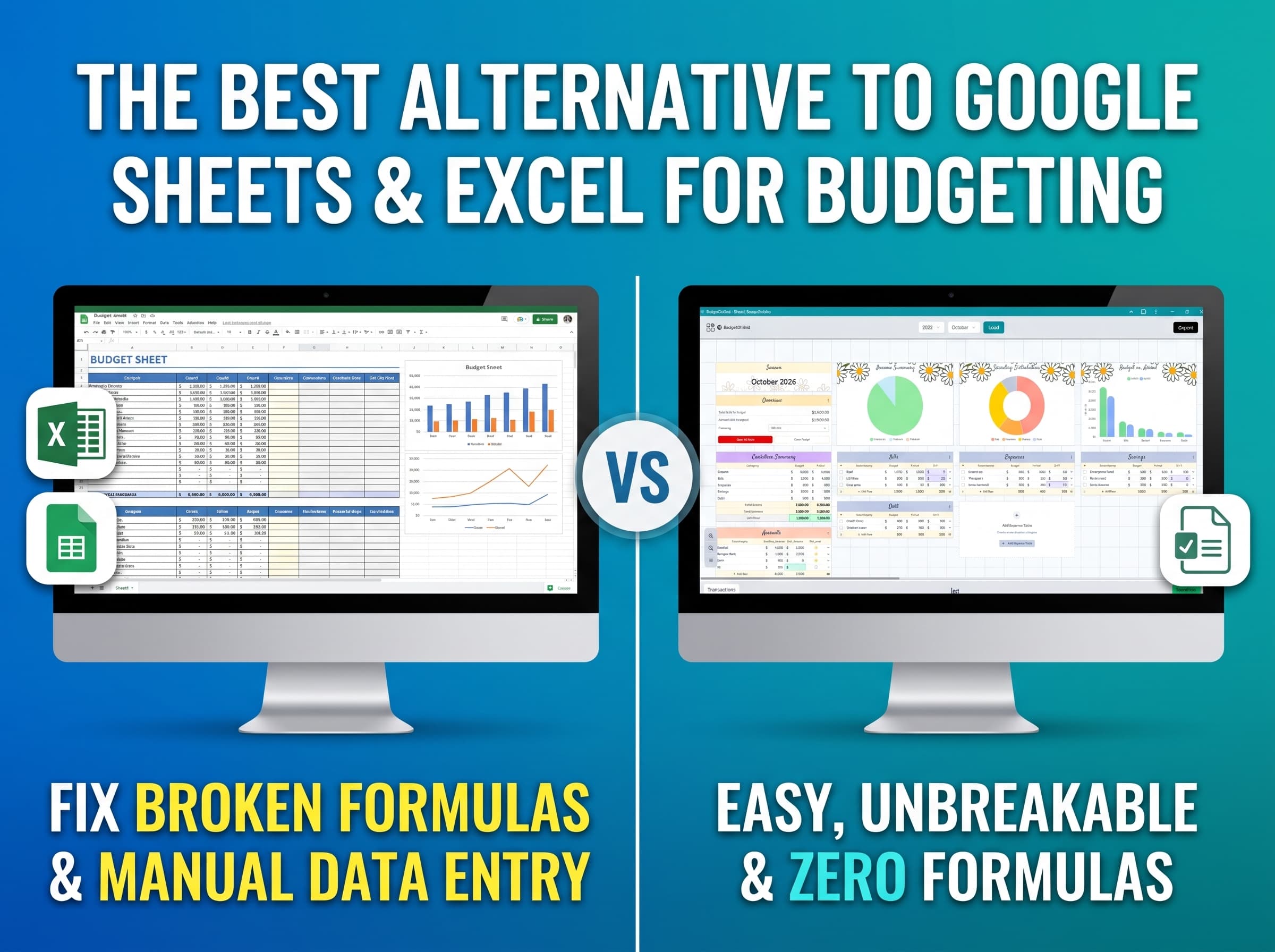
BudgetOnGrid provides a ready-made budgeting structure with editable categories, spending limits, and transaction tracking. No Excel knowledge is needed to maintain the budget, and statement imports handle much of the transaction entry.
How Does BudgetOnGrid Help Busy People?
Building and maintaining a budget in Excel or Google Sheets takes time, especially for those not comfortable working with formulas. A small change to a template might break a calculation, leaving a formula error and an evening spent figuring out what went wrong.
Ready-made templates from Etsy have their own limitations. Some come with fixed budgeting methods, categories, and layouts that don't match individual spending habits. Changing the structure often means dealing with formulas and spreadsheet settings that are difficult to understand.
BudgetOnGrid removes much of this setup and maintenance work. The budget structure, calculations, charts, and tracking features are already built in. Categories and subcategories are created, spending limits are set, and the budget is adjusted to match income and expenses. There is no need to learn Excel formulas, build charts, or troubleshoot broken spreadsheet functions.
Transaction entry also takes less time. Instead of typing every purchase into a budget after a long day at work, a bank statement can be uploaded so BudgetOnGrid can extract the transactions and assign categories. The entries are reviewed, any necessary corrections made, and then added to the budget.
The color indicators help keep an eye on spending throughout the month. When a category approaches its limit, the indicator changes color, providing a warning to check the remaining budget before payday.
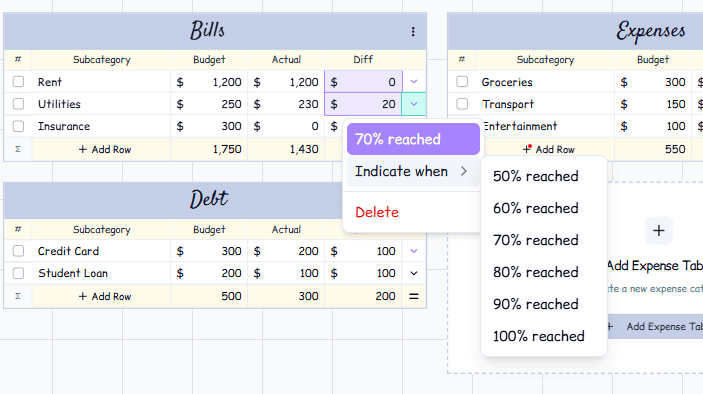
Image: Color indicators show when a category is getting close to its limit.
Will There Be a Monthly Subscription for BudgetOnGrid?
No. BudgetOnGrid costs $7 once for lifetime access to the core app.
Import credits are an optional purchase. They cost $5 for 41 pages and cover the processing of bank statements and receipts.
Manual transaction entry does not require import credits. There are no recurring payments for the core budgeting features. Additional credits are available whenever the existing balance runs out.
Can Data Be Exported Anytime?
Yes. BudgetOnGrid supports Excel and CSV exports.
This is useful for keeping a separate copy of a budget, working with transactions in Excel, or moving data into another spreadsheet.
Since the budget lives locally on a device, regular exports also provide a backup in case browser data gets cleared.
Read more about this process in how to export budget data on BudgetOnGrid.
Is There a Learning Curve?
The layout follows the familiar spreadsheet format. Anyone who has used Excel or Google Sheets should recognize the basic structure.
Setup involves creating categories and subcategories, assigning spending limits, and entering transactions. The app handles the calculations and charts.
There are no spreadsheet formulas to write or maintain.
Are Transactions Categorized Automatically?
Yes, when using the statement and receipt import feature.
BudgetOnGrid extracts transaction details and assigns categories during processing. Imported entries are available for review, so the results should be checked before adding them to the budget.
For manual entries, the appropriate category is selected manually.
Read more about entering purchases in how to track expenses or transactions with BudgetOnGrid.
Can It Handle Bank Statements in PDF or Image Format?
Yes. The import feature supports PDF, CSV, Excel, and image-based statements.
Upload a statement, receipt, or screenshot. BudgetOnGrid extracts the transaction information and prepares the entries for the budget.
This saves the time spent copying transactions line by line or converting a PDF into a spreadsheet.
Does It Work on Mobile?
BudgetOnGrid runs in a phone's browser. There's also an Install App option, which adds an app-like shortcut to the phone's home screen.
This makes the budget accessible away from a computer. There is no need to download a separate budgeting app from an app store.
Are Formulas, Charts, or Manual Categorization Required?
The budget structure and charts are already built into BudgetOnGrid. There are no formulas to write or maintain.
Imported transactions receive category suggestions during processing. For manual entries, the category is selected manually.
Is Bank Linking Required?
No. BudgetOnGrid doesn't require bank syncing or linking.
The process starts with a bank statement downloaded from a bank. The file is uploaded whenever the budget needs updating.
This means there's no automatic bank sync or need to reconnect an account when a bank connection expires.
For more options prioritizing privacy, see the best budgeting apps without linking a bank account.
Does It Sync Online?
No. BudgetOnGrid stores the budget locally on the device rather than on the company's servers.
This provides control over where budgeting data lives. The trade-off is that the budget won't automatically appear across a phone and laptop simultaneously.
Clearing browser data also puts the local budget at risk. Regular Excel or CSV exports help protect the records.
Is CSV Cleanup or VLOOKUP Required to Track Spending?
No. BudgetOnGrid securely processes supported bank statement formats, including CSV, PDF, and Excel files, through its statement and receipt parser.
There's no need to spend time rearranging CSV columns, writing VLOOKUP formulas, or setting up Power Query before importing transactions.
Upload the statement and let the parser extract the transaction details and assign categories. Review the imported entries to check for any errors before adding them to the budget.
BudgetOnGrid at a Glance
| Topic | Answer |
|---|---|
| Price | $7 once, for lifetime access to the core app |
| Monthly subscription | None |
| Optional extra | Import credits, $5 for 41 pages |
| Bank syncing | Never required |
| Excel formulas | None |
| Data storage | On the local device, not on BudgetOnGrid's servers |
| Export | Excel or CSV, any time |
| Mobile | Works in the phone's browser, with an Install App option |
Budget without the subscription
Pay $7 once for lifetime access. Set up categories, set spending limits, and update the budget manually or upload a bank statement when needed.
Explore BudgetOnGridFrequently Asked Questions
Is BudgetOnGrid a subscription?
No. BudgetOnGrid costs $7 once for lifetime access to the core app. Import credits ($5 for 41 pages) are optional and only needed when processing statements and receipts.
Is bank linking required to use BudgetOnGrid?
No. BudgetOnGrid doesn't require bank linking. Transactions go in manually or through a bank statement, receipt, or screenshot upload.
Where is BudgetOnGrid data stored?
The budget is stored on the local device, not on BudgetOnGrid's servers. Exporting data to Excel or CSV regularly keeps a backup.
Do I need to know Excel formulas to use BudgetOnGrid?
No. BudgetOnGrid comes with its budgeting structure and calculations already in place. There's no need to write or fix spreadsheet formulas.